PNX Labs Brand Guidelines

PNX Logo White Background
PNX Logo Dark Background
PNx Die Tool Sim
PNx Die Tool Sim

Main Logo

Our logo is a key element of our brand identity and must be used consistently across all mediums. When using the logo, adhere to the following guidelines:

1. Clear Space: Always maintain a minimum clear space around the logo equal to the height of the logo itself. This ensures it remains uncluttered and visible.

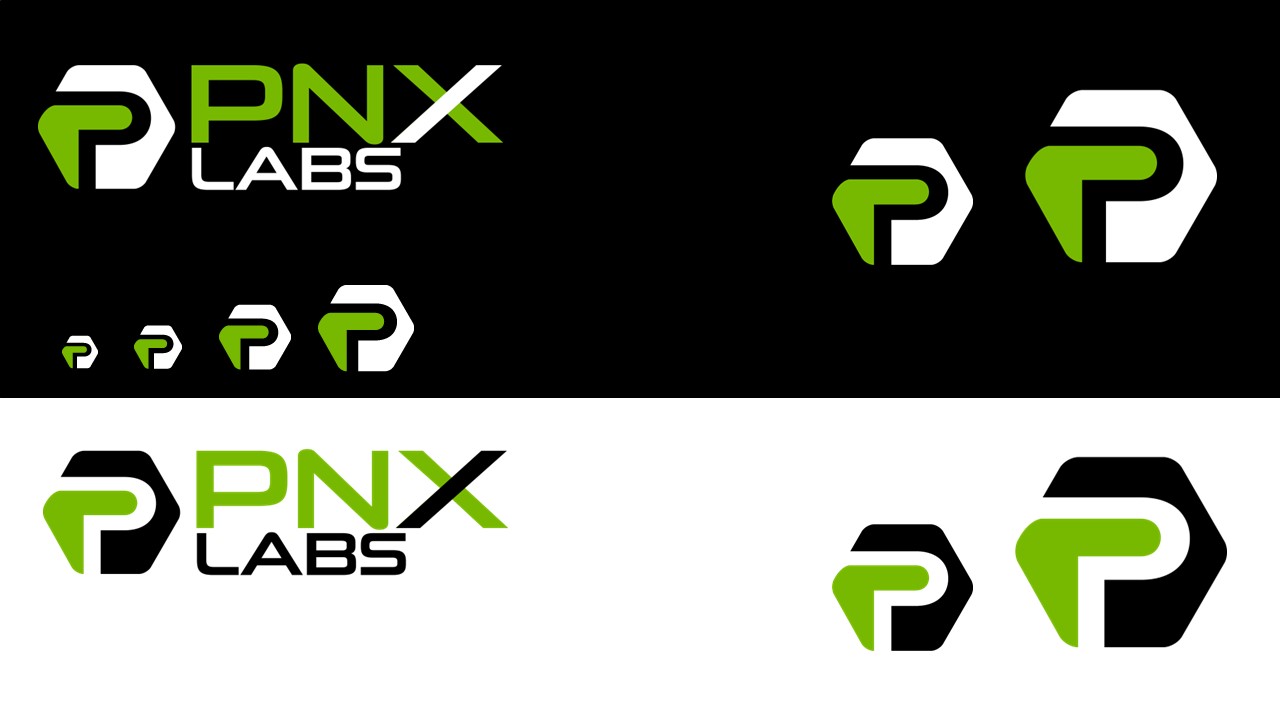
2. Color: Use the logo in its original colors whenever possible. For black-and-white or single-color applications, only approved versions should be used.

3. Size: Ensure the logo is legible at all sizes. It should never be scaled below the minimum size of 1 inch (25.4mm) in width for print or 256 pixels for digital use.

4. Background: Place the logo on a background that offers sufficient contrast to maintain legibility.

5. Modifications: Do not alter, distort, or change any aspect of the logo. This includes color changes, stretching, or adding effects like shadows or gradients.

By following these guidelines, we ensure our brand remains strong, recognizable, and professional across all platforms.

Examples Main Logo


1. Full-Slide or Full-Page Display: The logo should be centered and scaled proportionately to cover a significant portion of the slide or page, while maintaining its integrity and readability.

Background Considerations: Ensure that the background provides enough contrast for the logo to remain clearly visible. Avoid complex or patterned backgrounds that could distract from the logo.

Opacity Adjustments: If necessary, you may adjust the opacity of the background for better contrast. However, it should still be clearly recognizable and not overly faded.

No Overlapping Content: No other content (text, icons, logos, etc.) should overlap with the logo when it is displayed at a large size.


2. Top Left Corner Placement for Presentations:

Consistent Size: The logo should be scaled to ensure it's easily recognizable, typically occupying 15-20% of the slide’s width.

Alignment: Position the logo so that it aligns flush with the top and left margins of the slide. Maintain a consistent margin across all slides. If the slide displays XR content or any other form of content the logo can be placed in the bottom-right corner if results in better contrast.

Visibility:Ensure the logo is visible against the slide background. If necessary, change opacity of background to maintain contrast.

Spacing: Maintain sufficient clear space around the logo, especially when placing other elements nearby (e.g., titles or images).

Examples Slides

    PNXLabs Example Slide 1
    PNXLabs Example Slide 2
    PNXLabs Example Slide 3
    PNXLabs Example Slide 4
    PNXLabs Example Slide 5
    PNXLabs Example Slide 6
PNX Logo White Background
PNX Logo Dark Background

Icon Logo Usage Guidelines

The icon version of our logo is a simplified representation of our brand, ideal for use in contexts where space is limited or a more minimalistic approach is needed. Below are the guidelines for using the icon version:

Social Media:Use the icon logo as profile pictures or in areas where a full logo might not be legible or appropriate.

App Icons: Ideal for mobile or desktop app icons, where simplicity and recognizability are crucial.

Favicon:Use the icon logo for browser tabs and other small-scale digital applications.

Small-Scale Branding: The icon version should be used in small-scale branding elements, such as merchandise, labels, or small promotional materials.

Minimum Clear Space: Ensure there is a minimum clear space around the icon logo equivalent to at least half the width of the icon. This prevents overcrowding and maintains visual clarity.

Primary Color Usage: The icon should be used in its original color form. For single-color applications, use only the approved brand colors (e.g., green, black, or white).

Contrast:Ensure the icon is placed on a background that provides enough contrast for it to remain clearly visible. Avoid backgrounds that are too busy or have similar colors.

Minimum Size:The icon should not be displayed smaller than 16x16 pixels for digital use or 0.25 inches (6.35 mm) for print, to ensure legibility.

Proportionate Scaling:Always scale the icon proportionately. Do not stretch, distort, or modify the icon in any way.

Simple Backgrounds:Place the icon on solid or simple backgrounds that do not compete with the logo for attention.

Alignment: When used alongside text or other design elements, ensure the icon is properly aligned, either centered or aligned with the other content.

No Alterations: Do not alter the design, colors, or proportions of the icon in any way.

Avoid Cluttered Layouts:The icon should not be placed in a cluttered or overly complex layout, as this can detract from its simplicity and impact.

By adhering to these guidelines, the icon version of our logo will maintain its integrity and recognizability across all platforms and mediums.

Main Colors

#77B901
Primary brand color, used for key elements such as buttons, links, and highlights.
#FFFFFF
Used as the background color, providing a clean and neutral canvas for content.
#000000
Used for text and important accents, ensuring clarity and contrast.

Secondary Colors

#363636
Secondary text and background color, adding depth to the visual hierarchy.
#EB521D
Accent color for alerts, notifications, and other attention-grabbing elements.
#393BD6
Used for links and interactive elements, promoting engagement.
#FF3A05
Highlight color for special promotions or unique sections of content.
PNX Logo White Background

Logo Pack


Our Partners


Exertis Almo RexBoxXR ArborXR Invelon

Rtech Qatar Pico XR Nvidia Epic Games

CEPublishing Varjo Digital Ocean